
Claude Code's Best Update Yet: Remote Control, Agent View, and /goal
You can now give Claude Code a goal, walk away, and check back when it's done.


For the first time in months, I opened a Claude Code session and then put my laptop in my bag.
The session kept running.
That’s not how this worked even 90 days ago. The mental model was always: open terminal, work with it, close terminal. Tool in, tool out. The human was the driver and the driver needed to be seated. What’s shifted in the past few weeks is the assumption that you have to be physically present for any of it to work. You don’t, and the features shipping in May 2026 make that concrete.
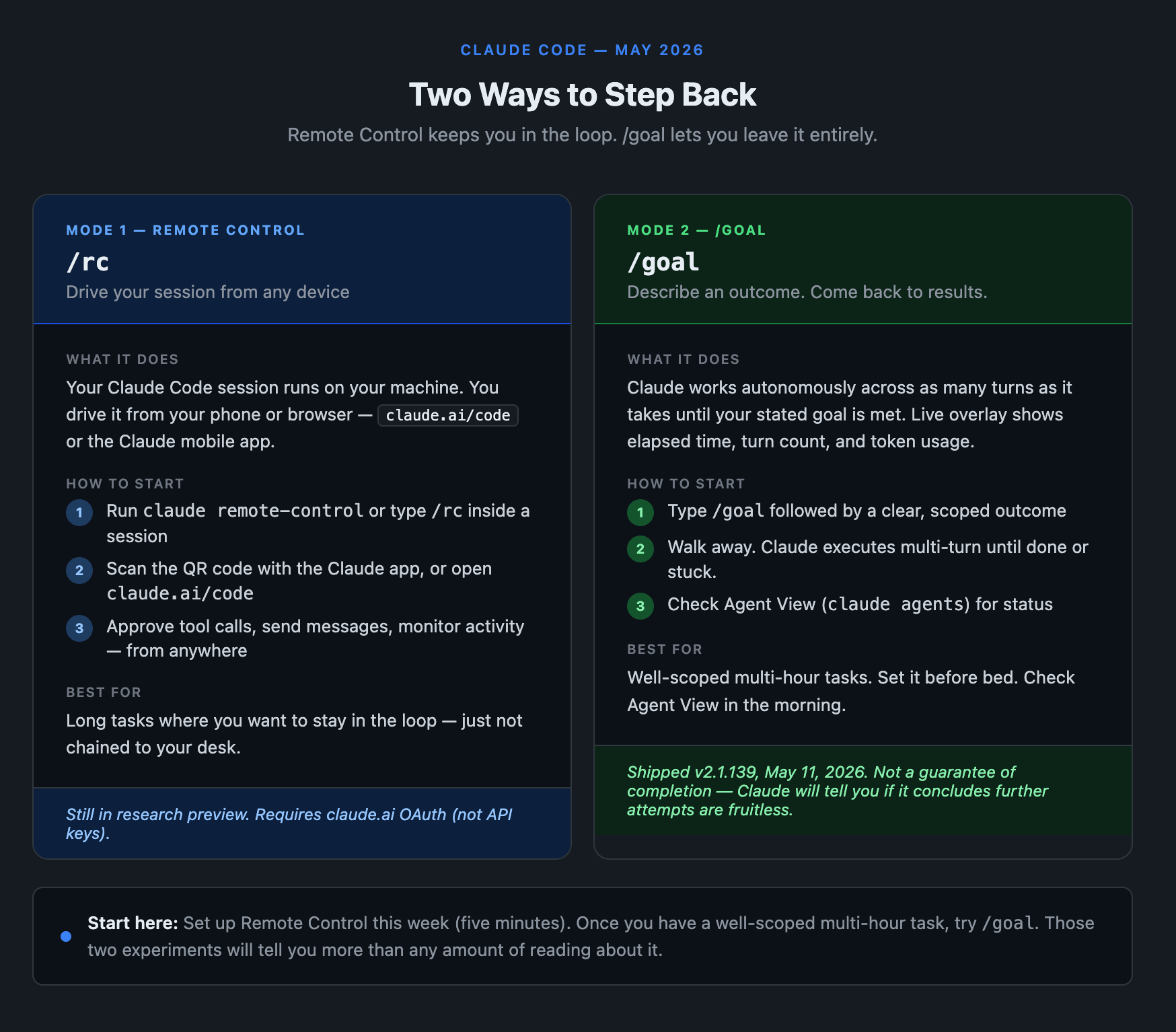
Remote control: your session, any device
Remote Control shipped February 24, 2026 as part of v2.1.51. It’s still in research preview, but stable enough for daily use. If you haven’t tried it yet, it’s worth ten minutes.
Your Claude Code session runs on your machine as usual, but you can drive it from your phone or browser. claude.ai/code in any browser, or the Claude iOS and Android apps, become windows into your local session. Nothing moves to the cloud. Your files stay on your machine. Only the conversation travels.
Getting started is two commands:
# Start a persistent remote-accessible session
claude remote-control

# Or enable it inside a session you're already in
/rc My Project
When you start the server, you get a session URL and a QR code (press spacebar to toggle it). Scan it with the Claude app on your phone and you’re in. Alternatively, you can go to your app or browser and navigate to the Code area. You will see a thread for the session there.
From the remote interface: send messages, use @-file autocomplete with paths from your local project, approve or reject tool use in real time, monitor tool activity as it happens. The mobile app sends push notifications when Claude finishes a long task or needs a decision (requires v2.1.110+, which you almost certainly have by now).
The scenario this unlocks: start a refactor on your laptop, put your laptop in your bag, walk to a meeting. In the waiting room, pull out your phone, open the Claude app, and your session is live. Claude is mid-task. You’re approving the next file edit from your phone. The work kept moving.
A few things worth knowing: Remote Control uses claude.ai OAuth, not API keys. If you’re on a Team or Enterprise plan, your admin needs to enable it at claude.ai/admin-settings/claude-code before it works. API key setups (Bedrock, Vertex, Azure Foundry) are not supported. One limit worth knowing: if your machine is awake but loses network connectivity for more than roughly 10 minutes, the session exits. A sleeping laptop that comes back online reconnects automatically.
For founders on Max or Pro, the friction is basically zero. Install the current version, run the command, scan the code.
Agent view and /goal: when you want to step back entirely
Remote Control lets you drive from a distance. Agent View and the /goal command (v2.1.139, May 11, 2026) take the next step: you step back entirely and Claude executes until the job is done.
claude agents opens a dashboard showing every running, blocked, and completed Claude Code session. Status, last response, whether it needs input from you. You can jump into any session or send it to background. To spin up a new session with explicit configuration, use the main claude command with the flags you need:
claude --add-dir /path --settings .claude/settings.json \
  --model claude-sonnet-4-6 --effort xhigh
/goal is what you type when you want to describe an outcome rather than a next step:
/goal Add complete test coverage to src/auth/ without breaking existing tests
Claude works autonomously across as many turns as it takes. You see a live overlay: elapsed time, turn count, token usage. The command is designed for multi-hour tasks. It’s not a guarantee of completion (Claude will tell you if it concludes further attempts are fruitless), but the intent is clear: you set the destination, Claude navigates.
Together, these two features shift the model. Before: AI pair programmer, you take turns. After: AI that takes on assignments while you do something else.
Good setup for a founder: set /goal on a well-scoped task before you go to sleep. Check Agent View in the morning. Either it’s done, or you have a clear status report on where it got stuck.
What else shipped in May
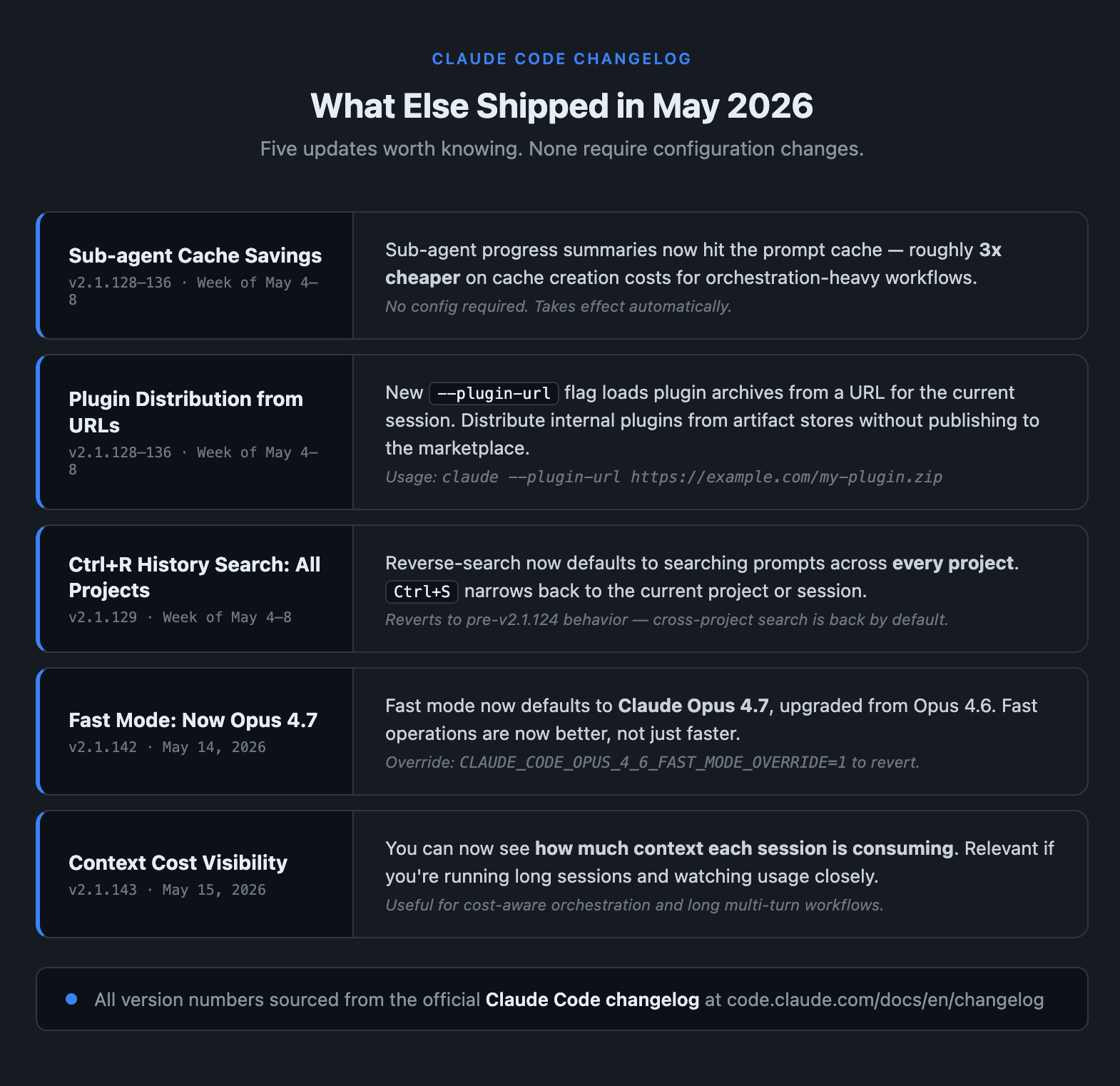
A few other May updates worth knowing about:
Sub-agent cache savings (week of May 4-8): when Claude spawns sub-agents during complex tasks, the progress summaries now hit the prompt cache. Roughly 3x cheaper on cache creation costs. If you’re running orchestration-heavy workflows, this is a real line-item change. No config required.
Plugin distribution from URLs (v2.1.128-136): the --plugin-url flag loads plugin archives from a URL for the current session:
claude --plugin-url https://example.com/my-plugin.zip
Useful if your team distributes internal plugins without a marketplace or manual file placement.
Ctrl+R history search across all projects (v2.1.129): reverse-search now searches prompts across every project by default. Ctrl+S narrows it back to the current project. If you’ve ever dug through terminal history looking for a prompt from three projects ago, this fixes that.
Fast mode defaults to Opus 4.7 (v2.1.142, May 14): fast mode previously defaulted to a downgraded model. As of May 14, it uses Opus 4.7. The fast operations are now better, not just faster.
Context cost visibility (v2.1.143, May 15): you can now see how much context each session is consuming. Relevant if you’re running long sessions and watching usage closely.
What this trajectory means
Remote Control, Agent View, and /goal are three features that wouldn’t have made sense six months ago. The mental model required to build them is different from the one that produced Claude Code as a local pair programmer.
The shift is from “AI you work with” to “AI that works.” Not always, not on every task: there are still tasks where you want to be in every turn. But the capability is there now to hand off a well-scoped problem and come back to results.
For small teams, every hour you spend setting up a solid Claude Code workflow, naming your common tasks, building your /project context, scales forward. The tool is increasingly capable of running assignments, not just answering questions. That’s different leverage than most founders are currently extracting from it.
Start with Remote Control this week. It takes five minutes to set up. Then, once you have a task that’s genuinely multi-hour and well-scoped, try /goal. Those two experiments will tell you more about where this is going than any amount of reading about it.
Already using Claude Code? Leave a comment with how you’re running it. I read every one.
New here? Subscribe to get the next piece delivered.