
Three Skills Every Claude Code Setup Should Have
The plugins gave you discipline and connections. Now add the skills layer globally

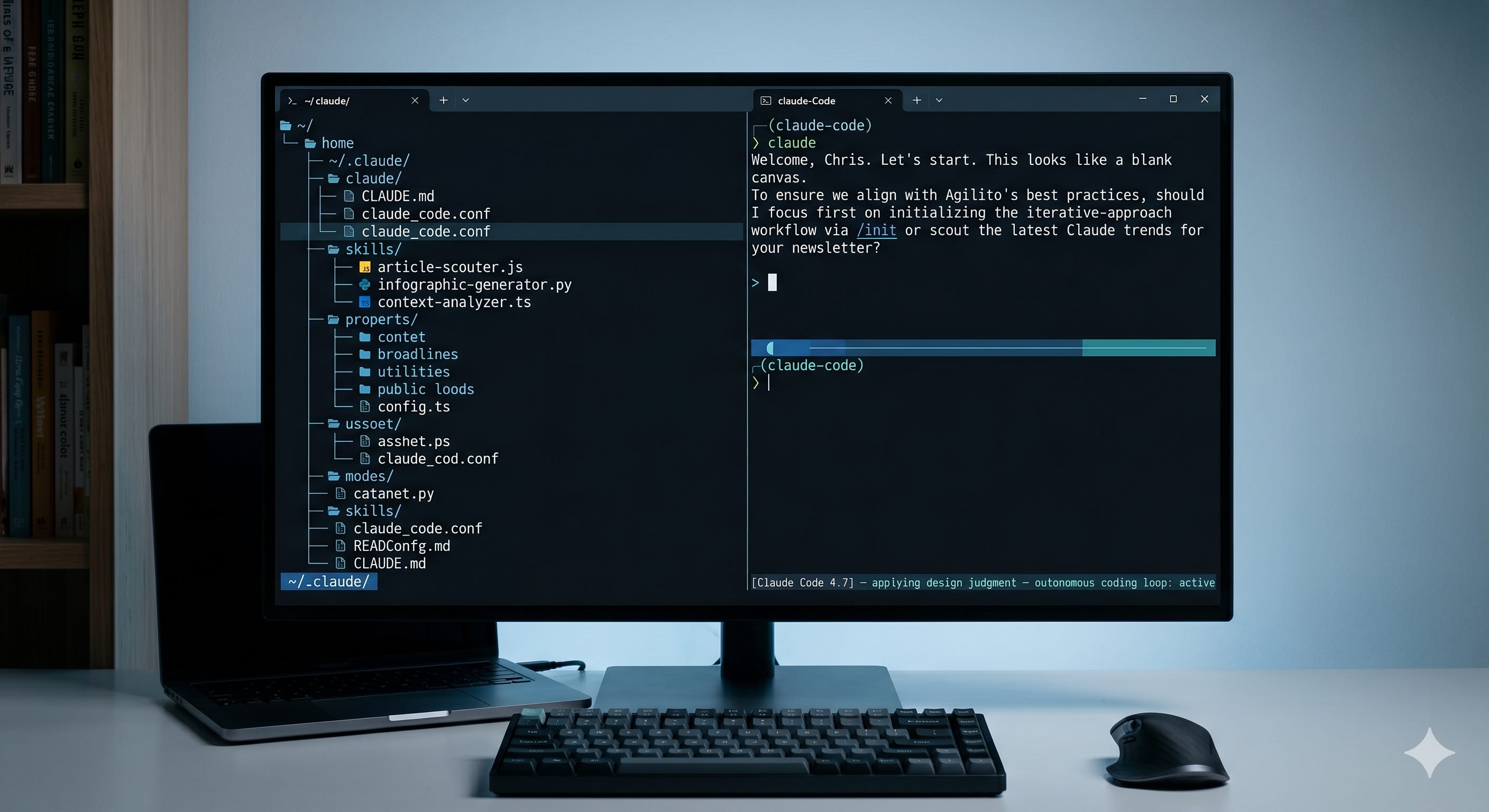
A few weeks ago I wrote about the plugins that give founders superpowers starting with Superpowers itself, which wires workflow discipline into every Claude Code session without you having to ask for it. If you haven’t done that install yet, start there.
This is the next layer.
Plugins handle process and integrations. Skills handle specific capabilities. The best skills share one property: they’re useful in every project, which means they belong in your global config — installed once in ~/.claude/skills/, active everywhere.
Here are three I actually recommend.
1. Skill Creator
By Anthropic. Built-in, no install required.
The most important thing to know about Skill Creator: you already have it.
It’s Anthropic’s official skill for building, testing, and improving custom skills within Claude Code. Invoke it with /skill-creator. It runs in four modes — Create, Eval, Improve, and Benchmark — covering the full lifecycle from initial concept to production-ready skill.
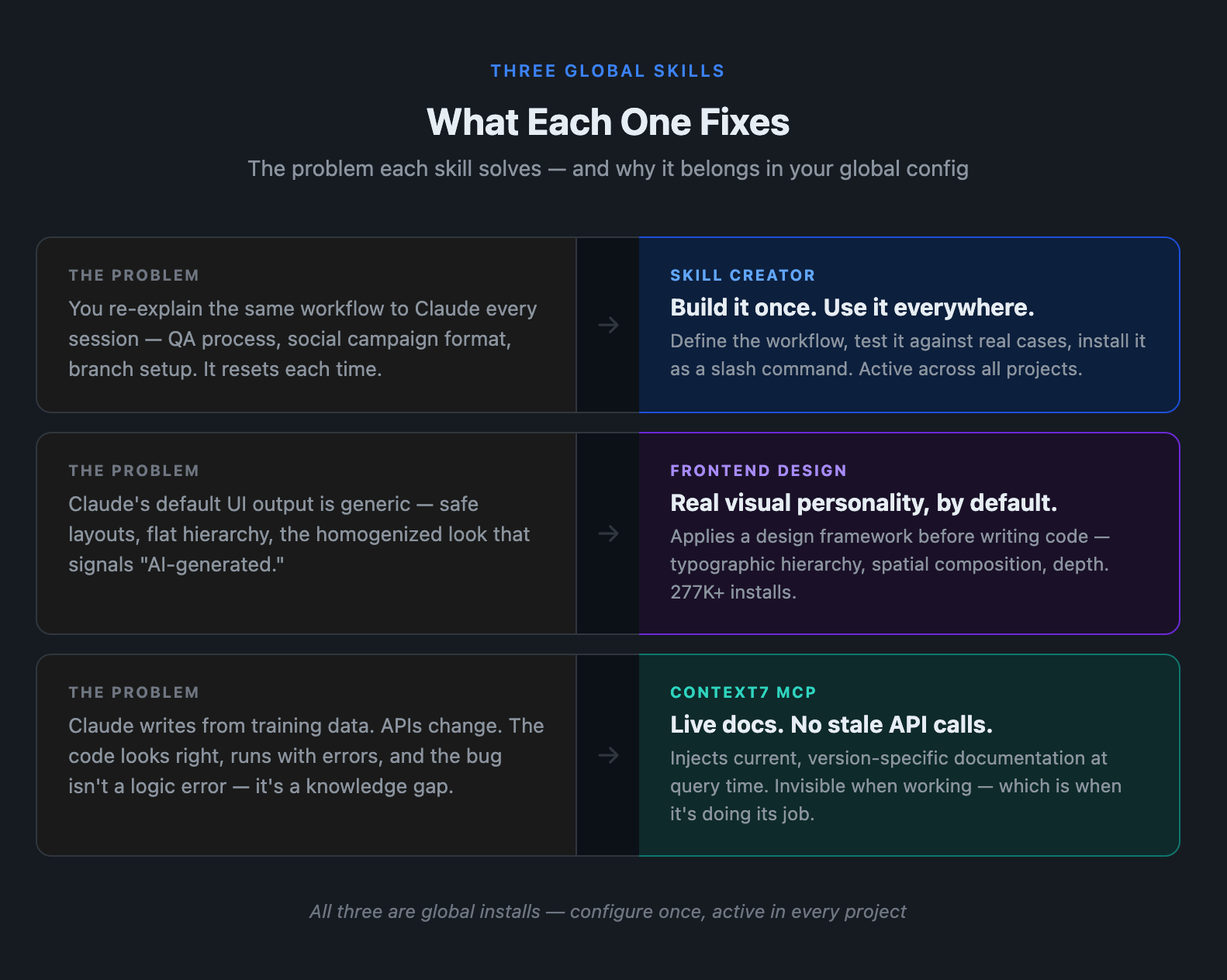
This matters because most founder workflows aren’t generic. You have a specific way you want Claude to run QA, generate a social campaign, or set up a new feature branch. Without a structured process, you re-prompt that workflow every session or paste it from a doc. Skill Creator gives you a repeatable path: define the workflow, test it against real cases, refine it, and install it as a slash command available in every project.
The Eval and Benchmark modes are what separate this from just writing a SKILL.md file yourself. You can run your skill against a set of test cases, compare two versions, and get structured analysis on what’s improving. It’s the difference between guessing whether your skill works and knowing.
Start by asking: “What’s the one workflow I re-explain to Claude most often?” That’s your first skill to build.
2. Frontend Design Skill
By Anthropic. 277,000+ installs.
If Claude is touching any UI work in your projects — and it probably is — this skill should be running.
The frontend-design skill isn’t a code generator. It’s a design system that Claude applies before it starts building. When you ask for a landing page section, a dashboard component, or an onboarding flow, the skill activates a design framework first: it establishes purpose and audience, sets typographic and color direction, considers spatial composition and motion. The code it writes reflects those decisions.
The practical effect is visible immediately: instead of the generic, safe-looking output Claude defaults to, you get interfaces with real visual personality — typographic hierarchy, considered layout, actual depth. It specifically avoids the homogenized AI aesthetic that makes AI-generated UI look like AI-generated UI.
With 277,000 installs, this is one of the most-adopted skills in the official library. That adoption is validation — a lot of people who need better-looking output have landed here.
Install it globally so it’s active whether you’re building a SaaS product, a marketing site, or a prototype for a pitch:
/plugin marketplace add anthropics/skills
/plugin install frontend-design@anthropic-agent-skills
3. Context7 MCP
By Upstash. Install globally. Free tier available.
Claude Code is trained on data with a cutoff date. When you ask it to write code using Next.js, Stripe, Supabase, shadcn/ui, or any library that ships updates regularly, it’s drawing on whatever version was in its training data — which may be six months behind, or more.
Context7 closes that gap. It’s an MCP server built by Upstash that injects live, version-specific documentation for popular libraries directly into Claude’s context at query time. When Claude reaches for how the current Stripe payment element works, it gets today’s API docs instead of reconstructing from memory.
The failure mode this prevents is subtle and expensive: Claude writes confidently, the code looks right, and it breaks because an API changed. You debug something that isn’t a logic error — it’s a knowledge gap. Context7 covers a wide library of popular frameworks and tools, including the full modern frontend and backend stacks most founders are building on.
It’s not an Anthropic release — it’s built by Upstash. Review the configuration before installing, as you should with any MCP server that runs as an external process. The free tier covers 1,000 API calls per month, which is sufficient for most individual founder workflows.
Add it globally with one command:
claude mcp add --scope user context7 -- npx -y @upstash/context7-mcp@latest
The --scope user flag makes it available across all your projects without having to configure it per-repo. It’s invisible when it’s working — which is when it’s doing its job.
One Config, Every Project
The through-line here is the global install. Each of these tools earns its place in your global config because the cost drops to zero per project after the first one. Skill Creator is already there — use it to systematize the workflows you repeat most. Frontend Design runs whenever Claude touches UI. Context7 patches the documentation gap every time Claude calls a library.
None of them require per-project decisions. They’re infrastructure.
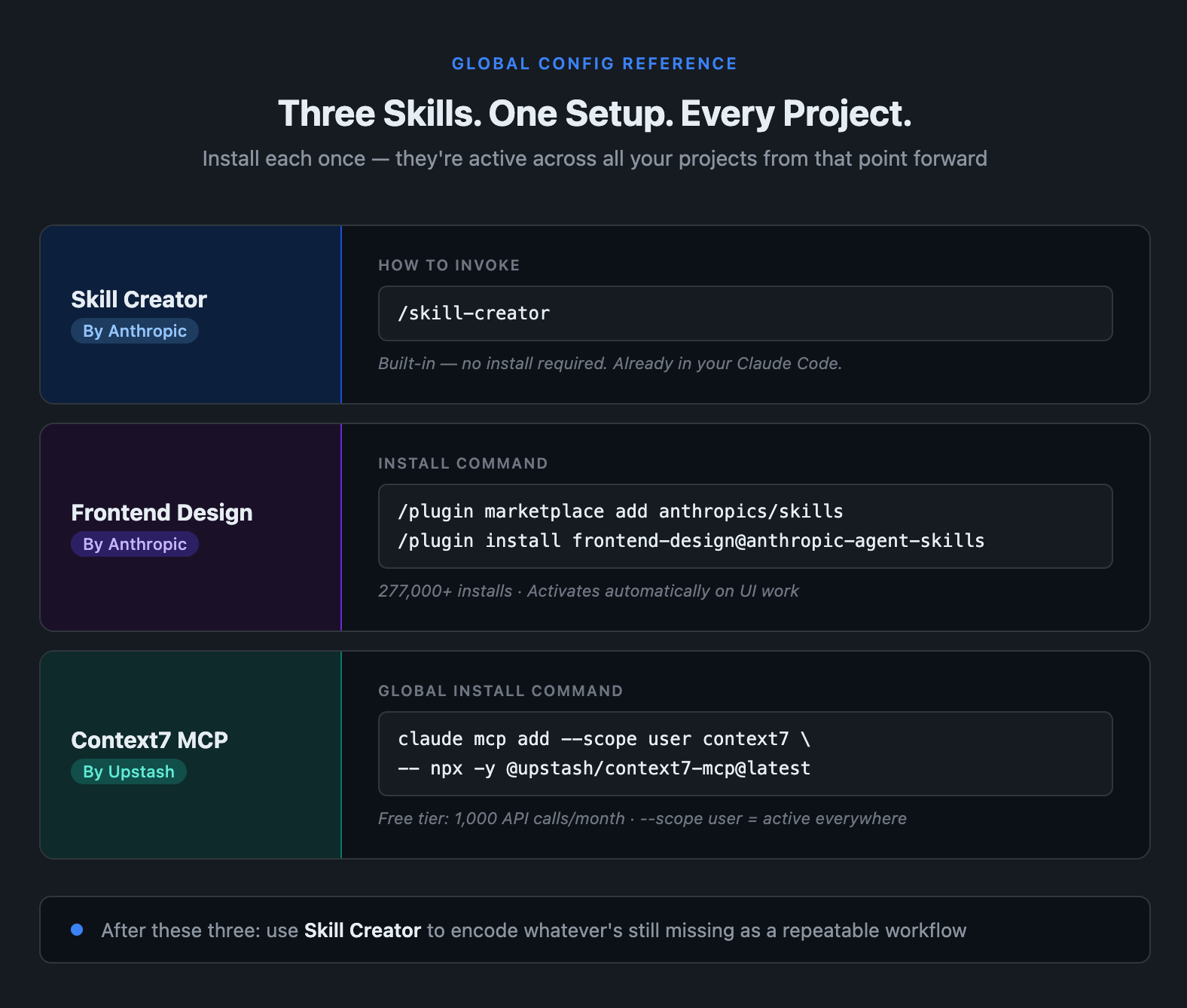
The complete reference. Bookmark this and run the installs once.If you’ve been running Claude Code on the base install, this is the configuration pass that makes it feel like a different tool. Run the Superpowers install if you haven’t. Then these three. Then use Skill Creator to encode whatever’s still missing as a repeatable workflow.
Want the full founder configuration guide? Subscribe to get it when it’s ready.
Questions? Leave a comment below or connect on LinkedIn.